
Download OpenCall – AI‑Powered Call Center Solution for Healthcare, Beauty & Real Estate
Overview – What Is OpenCall and Who Can Benefit?
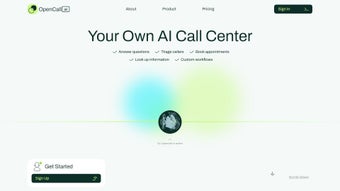
OpenCall is a cloud‑based, AI‑driven call‑center platform that automates inbound and outbound phone interactions for niche industries such as medical practices, salons, and real‑estate agencies. By leveraging natural‑language processing, the software can answer common questions, triage callers, schedule appointments, and even follow up on leads without human intervention. Its design emphasizes security—OpenCall is fully HIPAA‑compliant—so medical offices can trust that patient data remains encrypted and private.
For beauty professionals, the tool syncs directly with booking calendars, reducing no‑shows and freeing staff to focus on client experience. Real‑estate agents benefit from proactive outreach capabilities, allowing the AI to call prospects, qualify interest, and push leads into a CRM. The platform’s “instant call‑center” setup means businesses can go live within minutes, and its 24/7 availability ensures that customers are never left hanging, even after business hours.
While OpenCall shines in its specialized features, it also offers a universal integration layer that connects with popular SaaS tools like Boulevard, Square, Google Calendar, and Google Sheets, as well as automation services such as Zapier and Nextgen. This makes it a versatile hub for workflow optimization across a variety of service‑oriented businesses.
Key Features & Integrated Automation
- AI Call Routing & Triage: Automatically categorizes calls, directs them to the right department, or resolves simple queries without human input.
- Appointment Booking Engine: Syncs with Google Calendar, Square, and industry‑specific schedulers to lock in appointments in real time.
- HIPAA‑Compliant Data Handling: End‑to‑end encryption and secure storage meet U.S. health‑information standards.
- Industry Templates: Pre‑built scripts for medical intake, salon services, and real‑estate lead qualification.
- Zapier & Nextgen Integration: Trigger workflows such as CRM updates, email confirmations, or SMS reminders with a single click.
- Memory‑Enabled Conversations: The AI retains context across calls, allowing follow‑up interactions that feel personal.
- Analytics Dashboard: Real‑time metrics on call volume, conversion rates, and average handling time help managers fine‑tune operations.
- Multi‑Channel Support: Handles voice, SMS, and web chat from a single interface.
- Scalable Architecture: From a solo practitioner to a multi‑location franchise, the platform scales without performance loss.
- Custom Voice Prompts: Upload branded greetings or language‑specific prompts to match your business tone.
These features combine to create a seamless, end‑to‑end communication hub. For instance, a patient calling a clinic after hours can have their symptoms recorded by the AI, automatically schedule a follow‑up with the physician’s calendar, and trigger a secure message to the patient’s portal—all without a receptionist. A salon can reduce missed appointments by 30 % by allowing the AI to confirm bookings via SMS and update the calendar instantly. Real‑estate agents can increase lead conversion by letting the AI qualify prospects before a human follows up, freeing up valuable time for property showings. OpenCall’s integration ecosystem ensures that data flows smoothly between the call center and existing business tools, eliminating manual entry and the risk of errors.
Installation, Setup, and Platform Compatibility
Getting started with OpenCall is designed to be as frictionless as possible. The software is delivered as a web application, so there is no heavy client install required. Users simply visit the official download page, create a secure account, and are guided through a wizard that configures the core AI engine, selects industry templates, and connects third‑party services. For Windows, macOS, Android, and iOS users, a responsive web portal provides full functionality, while native mobile apps are available for on‑the‑go management.
Step‑by‑Step Installation:
- Visit OpenCall’s download page and click the “Get Started – Free Trial” button.
- Enter your business email, set a strong password, and verify your account via the confirmation link.
- Log in and select your industry (Healthcare, Beauty, Real Estate, or Custom).
- Connect existing tools: authorize Google Calendar, Square, or your preferred CRM through OAuth.
- Configure call routing rules – choose which numbers forward to the AI and define fallback options for live agents.
- Run the “Test Call” wizard to ensure audio quality and AI response accuracy.
- Publish the generated SIP credentials to your phone system or VoIP provider.
- Enable Zapier integrations to automate post‑call actions such as sending invoices or updating spreadsheets.
OpenCall’s cross‑platform compatibility means you can manage the dashboard from any modern browser on Windows 10/11, macOS 12+, Android 8+, or iOS 13+. The backend runs on secure AWS servers, guaranteeing 99.9 % uptime and automatic software updates that keep the AI models current without manual patches. Users who require on‑premise deployment can request a private cloud instance, though the standard SaaS offering covers the majority of use cases. Documentation and video tutorials are available in the support center, and a live chat staffed by product specialists assists with any configuration challenges.
Pros, Cons, and Frequently Asked Questions
Pros
- Fully automated call handling reduces labor costs.
- HIPAA compliance ensures secure patient data.
- Deep integrations with Square, Google Suite, and Zapier streamline workflows.
- 24/7 AI availability eliminates missed calls after hours.
- Scalable architecture supports single offices to multi‑location enterprises.
Cons
- Limited native language support beyond English; multilingual capabilities rely on custom prompts.
- Some advanced integrations (e.g., proprietary EMR systems) may require additional development effort.
- Initial setup of complex routing rules can be daunting for non‑technical staff.
- No on‑device offline mode; continuous internet connectivity is required.
Frequently Asked Questions
Is OpenCall free to try?
Yes, OpenCall offers a 14‑day free trial with full access to all core features. No credit card is required, and you can cancel anytime before the trial ends.
Can OpenCall handle high call volumes for a large clinic?
Absolutely. The platform is built on a cloud‑native architecture that auto‑scales. Large practices can route thousands of concurrent calls without degradation in response time.
How does OpenCall ensure HIPAA compliance?
All voice data is encrypted in transit (TLS) and at rest (AES‑256). Access logs are stored for audit purposes, and the platform undergoes regular third‑party security assessments to maintain compliance.
What integrations are available out of the box?
OpenCall connects natively to Google Calendar, Square, Boulevard, Google Sheets, and Zapier. Custom API hooks allow integration with most CRMs, EMRs, and booking systems.
Is there a mobile app for managing calls on the go?
Yes, OpenCall provides iOS and Android apps that give you real‑time dashboards, call logs, and the ability to adjust routing rules from any smartphone or tablet.
Reviewer’s Verdict: OpenCall delivers a robust, AI‑driven call‑center experience that is especially valuable for regulated industries. Its automation, security, and integration capabilities outweigh the minor limitations around language support.
Conclusion – Why Download OpenCall Today?
In a world where instant communication determines customer satisfaction, OpenCall stands out as a secure, AI‑powered call center that transforms how businesses handle phone interactions. Whether you run a busy medical practice, a boutique salon, or a fast‑growing real‑estate team, the platform’s specialized templates, seamless integrations, and 24/7 availability can shave hours off administrative work each week. The free trial lets you evaluate the system risk‑free, and the scalable pricing model ensures you only pay for the capacity you need. Ready to modernize your phone operations and boost engagement? Download OpenCall now and experience a smarter, more efficient way to connect with your clients.



.png)



